

Launch Sidify Deezer Music Converter, and sign into your Deezer account in the web player window.


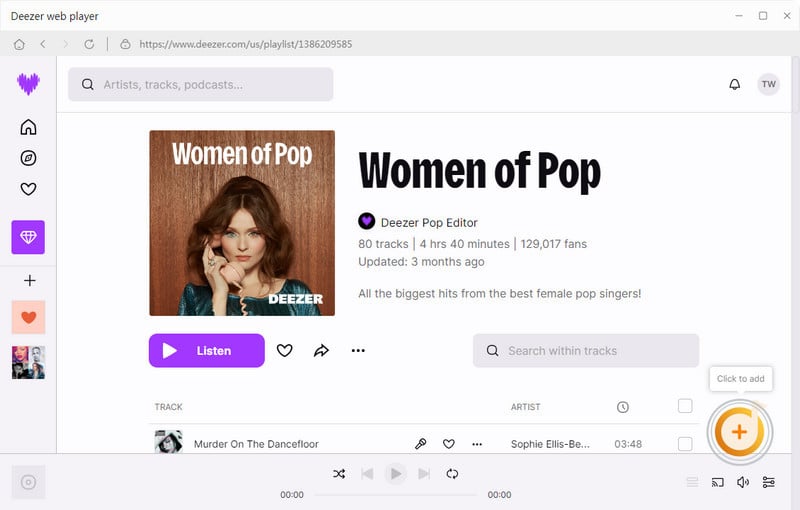
From the Deezer web library, browse the preferred playlists and click the Click to add button to put the songs on the conversion panel. Then tick off specific songs that you want to download.

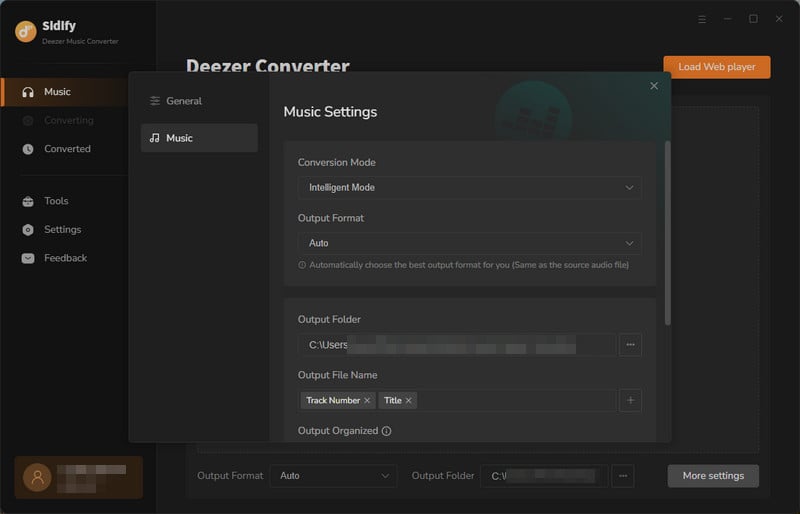
Head to the Settings part on the left panel. Here you can choose MP3, AAC, FLAC, WAV, AIFF or ALAC as the output format and change the output path. Also, you can choose to reorganize music by Artist, Album, Artist/ Album, Album/ Artist or None.

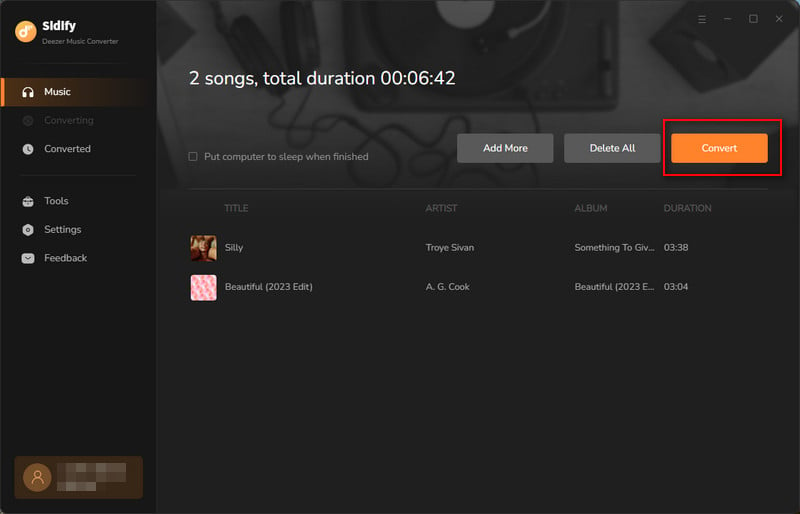
Click the Convert button to start converting Deezer Music and all the Deezer music downloads will save to your local computer.

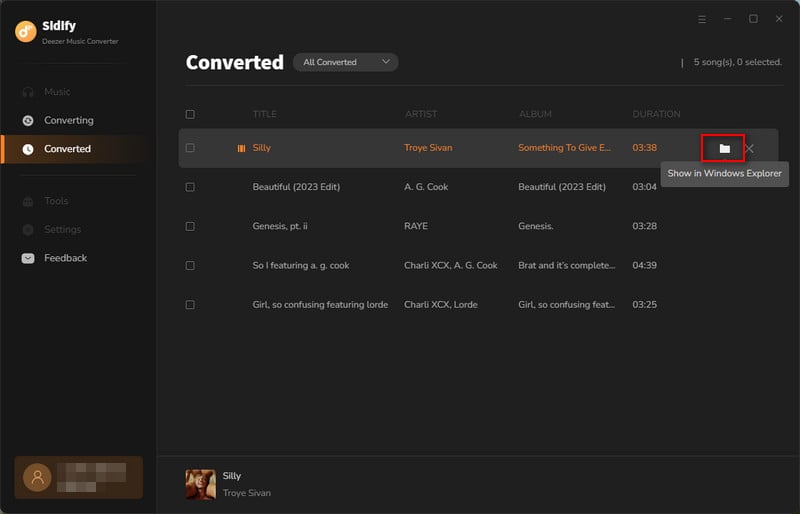
Find all downloaded songs under the History tab on the left column. Or on Windows Explorer, head to the output path that you set in Step 3 to find the Deezer music downloads locally.
Sidify Apple Music Converter for Windows
Convert Apple Music, iTunes M4P music and audiobooks to MP3, AAC, FLAC, WAV, AIFF or ALAC while keeping title, artist, album, genre, year, track number and artwork.
Sidify Music Converter for Windows
Convert Spotify songs to MP3, AAC, FLAC, WAV, AIFF or ALAC while keeping title, artist, album, genre, year, track number and artwork.

Tidal Music Converter for Windows
A simple & useful tool to download Tidal music to your computer and convert Tidal songs to MP3, AAC, WAV, FLAC, AIFF, or ALAC.

Sidify All-In-One for Windows
An inclusive program that enables you to download songs from multiple streaming services, all on a single software, while preserving the original audio quality.

YouTube Music Converter for Windows
Without Premium required, you can simply download YouTube music and playlist songs to MP3, AAC, WAV, FLAC, AIFF, or ALAC.

All-In-One Video Downloader
Best streaming video download solution to download movies or shows from over 1000+ sites including Netflix, Amazon Prime, Disney+, Peacock, and more.



