

 Sidify Apple Music Converter


How to Convert Apple Music to MP3
Convert Apple Music tracks to high quality MP3s at 10x fast speed.

Let's face it. Apple Music downloads are still tied to the Apple ecosystem. However, converting Apple Music to MP3 brings new possibilities, such as playing songs on non-Apple devices, playing Apple music on USB drives, setting Apple Music as ringtones, or using Apple Music tracks in DJ software and MP3 players. In this article, we explore different methods to get Apple Music MP3 files using various Apple Music converters.
Method 1. Convert Purchased Apple Music to MP3
iTunes Store is the Apple music digital store. You can purchase songs or albums individually and own the Apple Music permanently. Most purchased Apple Music tracks from the iTunes Store set to AAC format by default. But, you can actually use iTunes' built-in audio encoder that can convert supported audio files (locally imported music files) and purchased iTunes songs, into MP3 formats.
1.1). Steps to Encode Apple Music Purchases to MP3
-
On Mac:Step 1Enter iTunes MP3 Encoder Settings
Go to iTunes > Preferences > General > Import Settings, then select MP3 Encoder.
On Windows:Go to Edit > Preferences > General > Import Settings, choose MP3 Encoder, click OK, and then click OK again.
-
Step 2View Purchased Apple Music Songs on iTunes
If your purchased songs are not already in your library, download from the iTunes Store to iTunes library.
-
Step 3Convert Purchased Apple Music to MP3
Select the songs you want to convert. Go to File > Convert > Create MP3 Version. iTunes will generate a new MP3 copy while keeping the original AAC files unchanged.
-
Step 4Locate the MP3 Files
After the conversion is complete, right-click the newly created MP3 track and select Show in Windows Explorer or Show in Finder to access the converted files.
Method 2. How to Convert Protected Apple Music to MP3 320kbsp (Lossless)
If you want to convert Apple Music streaming tracks to MP3, iTunes alone cannot help because these songs are protected and unavailable as regular audio files. In this case, the easiest way is to use an Apple Music converter.
Sidify Apple Music Converter enables listeners to convert Apple Music songs, albums, and playlists to common audio formats such as MP3 with 320kbps. Sidify allows you to download Apple Music playlists and convert multiple songs at once, without waiting for every track to finish one by one. It also keeps important song information, including ID3 tags, lyrics, and artwork, so your converted files stay organized with complete metadata. You will get Apple Music tracks in lossless ALAC or 320kbps MP3 quality directly from Apple Music, never from YouTube-based rips or conversions.
Sidify Apple Music Converter
- Convert Apple Music to MP3, AAC, ALAC, AIFF, WAV, and FLAC.
- Convert MP3 songs, playlists, albums, and podcasts from Apple Music.
- Download Apple Music 320kbps MP3 and LOSSLESS ALAC files.
- Keep Apple Music HD artworks, lyrics and ID3 tags.
- Compatible with Windows and macOS.
 Security verified. Over 850,000+ downloads.
2.1). Steps to Convert Entire Apple Music Playlist to MP3
-
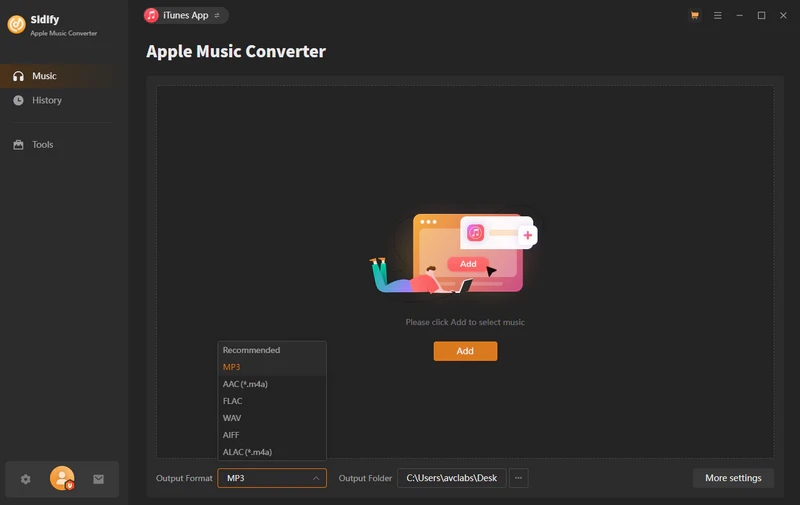
Step 1Launch Sidify Apple Music Converter
Run Sidify Apple Music Converter. From the embeded Apple Music web player, log into Apple Music account and visit the whole music library.
-
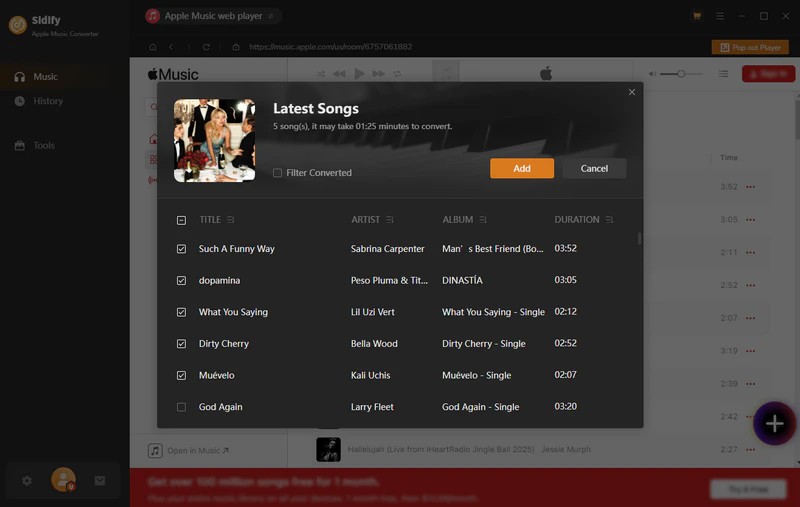
Step 2Add Apple Music Playlists and Songs to MP3 Converter
Open the Apple music playlist and click the Add button. Select the entire Apple Music playlist to convert. Or you can add single Apple music songs for MP3 conversion.
-
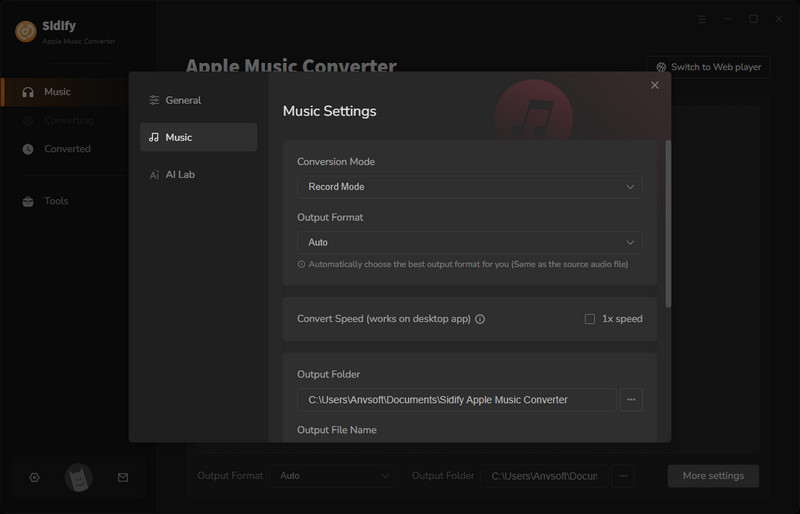
Step 3Choose Apple Music MP3 Output Format
Go to the Settings, choose the output format to MP3, output quality to 320kbps. Select a destination folder to save the downloaded Apple Music MP3 files.
-
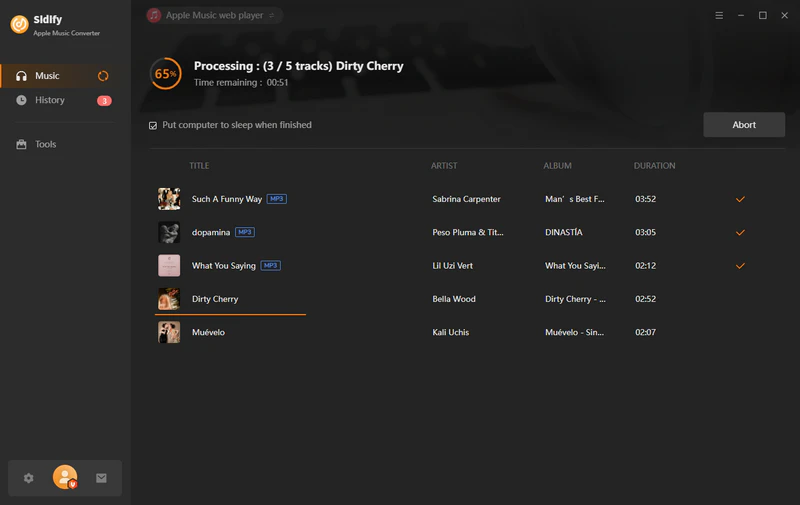
Step 4Start Apple Music Playlists to MP3 Conversion
Click the Convert button to start the MP3 Apple music downloading process.
-
Step 5
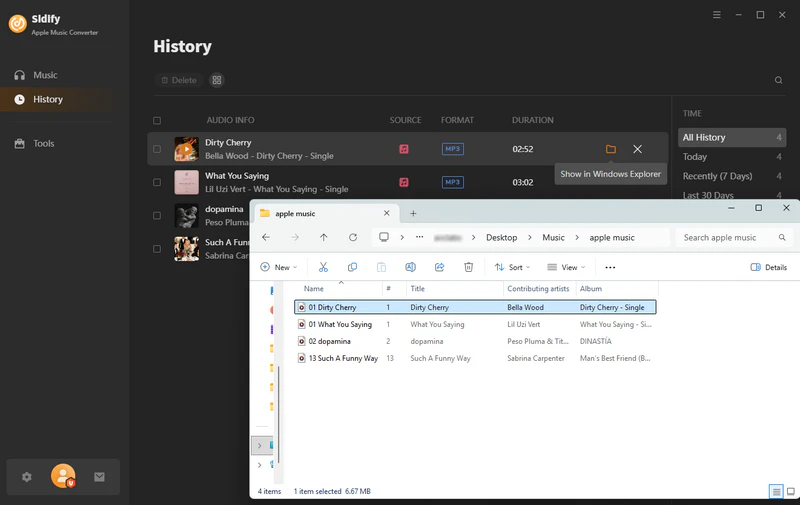
After completion, go to the History part to check all downloads. Click the folder icon to locate all downloaded tracks in local path.
Method 3. Convert Apple Music to MP3 Online
If you want some free ways to convert Apple Music to MP3s, there are some online Apple Music Downloaders available. However, most of online Apple Music downloader get music from YouTube sources, which means the output audio quality usually cannot reach 320kbps.
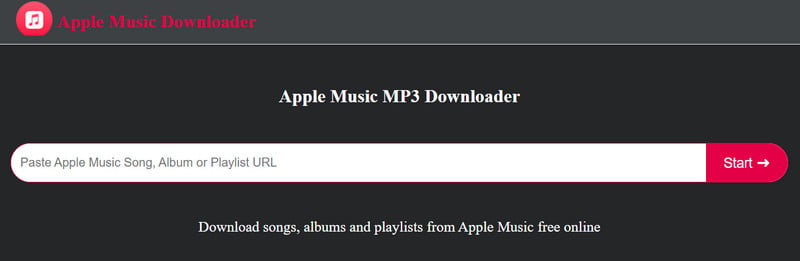
3.1). apple-music-downloader.com
Apple-music-downloader.com is a free online Apple Music downloader that can be used to download MP3 format Apple Music by simply pasting a song or playlist link. Downloaded Apple music is with partial ID3 tags.
- Free to get Apple Music MP3 copy.
- Copy and paste Apple Music link and create MP3 downloads.
- Download songs one by one, no batch conversion option.
- Incomplete ID3 tags, incorrect music versions.
-
Step 1Open the Apple Music app and find the music you like.
-
Step 2Copy the music's link and paste the copied URL into the search bar.
-
Step 3Click "Start"> "Get Download"> "Download MP3".
3.2). aaplmusicdownloader.com
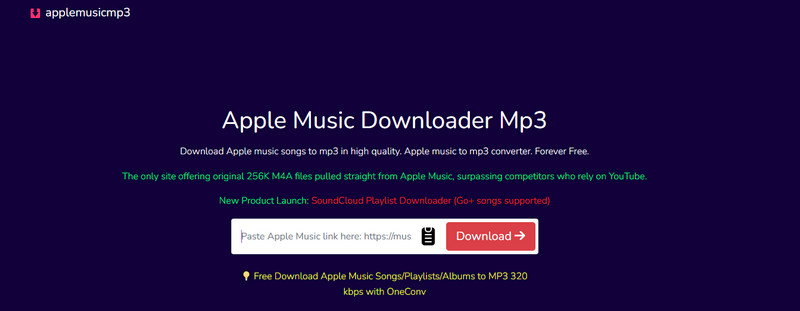
AAPLmusicDownloader is a web MP3 downloader for Apple music single songs. You can convert Apple Music to MP3 for free. Besides MP3 option, you can convert Apple Music to M4A. The highest quality is up to 320kbps. But it required sign-in and paid grade to zip download MP3 Apple music tracks online.
- Ad-free online Apple Music to MP3 converter.
- Copy and paste the Apple Music link and download MP3 in one click.
- Support Apple Music ZIP playlist downloads (14.95/month).
-
Step 1Find the music you like on Apple Music and copy song link.Step 2Paste the copied link into the search bar and click "Download" .Step 3Click "Generate Download Link" and select audio quality and wait for the download process.
3.3). aplmate.com
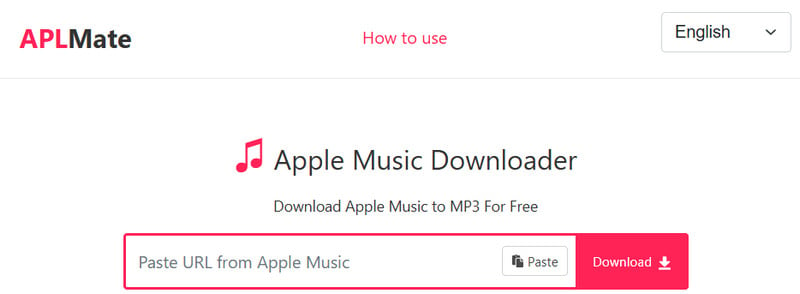
APLMate works for downloading Apple Music as 320kbps MP3 for free. The online downloader downloads Apple Music songs, albums, and playlists. Put the URL of the Apple Music and you can get the MP3 file download option. The downloaded songs remain with the album, artist, and cover art.
Key Features of aplmate.com:- Clean user interface and fast loading speed but with banner ads.
- Does not support batch conversion of playlists.
- The sound quality doesn’t live up to the advertised effect.
-
Step 1Copy the music's link from Apple Music and paste the link into the search bar.Step 2Click "Download" and wait for the process.Step 3Choose the MP3 quality to download Apple music in Mp3s file.
3.4). keepvid.ch/apple-music
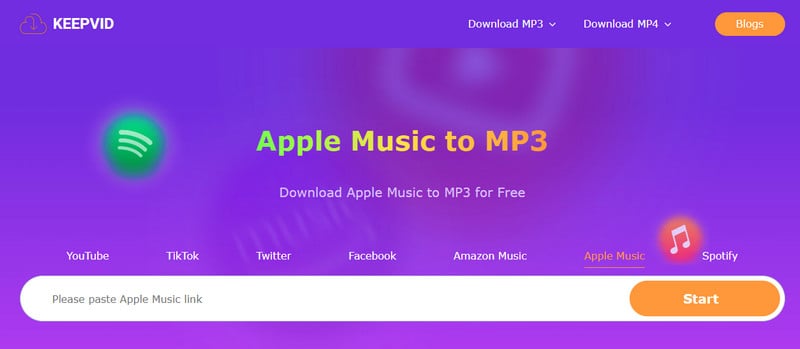
Keepvid Apple Music to MP3 is capable of converting Apple Music songs to MP3 files. Apple Music is free to download with lossless quality on the website by providing URL.
Key Features of KEEPVID Apple Music to MP3 Download:- Free to convert Apple Music to MP3 online.
- Clean working interface with clear steps instructions.
- No batch playlist downloads and no option to select individual songs.
-
Step 1Get your favorite song link from Apple Music.Step 2Paste the copied link in the search box and click "Start".Step 3Click the "Audio(.mp3)" button to download your song.
3.5). Audacity Apple Music MP3 Recorder
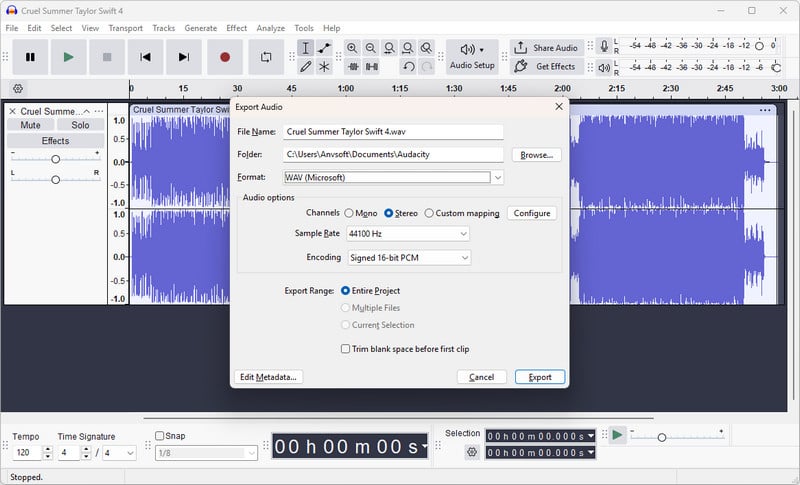
Audacity is a free audio recording and editing software that supports Windows, macOS, and Linux platforms. Although it cannot directly convert Apple Music songs to MP3s, it is to record the playing Apple Music songs through system audio recording and export them to MP3 or other audio formats.
Key Features of Audacity to MP3 Recording:- Free to record Apple Music and output MP3/WAV/OGG audio files.
- Post-process Apple Music recording such as editing, noise reduction, fade-in, and fade-out.
- Real-time 1x speed recording (time-consuming playlist recording).
- No ID3 tags or cover information.
- Can only record, cannot "convert" original files.
-
Step 1Download and install Audacity, open Audacity, and set "Recording Source" to "System Audio" or "Stereo Mix".Step 2Open Apple Music and prepare to play the song you want to record.Step 3Click the red recording button in Audacity and start playing the music.Step 4After the song is finished, click Stop. You can choose to trim the audio, add fade-in and fade-out or noise reduction.Step 5Export the recording: File > Export > Export as MP3, save to local computer.
3.6). Apowersoft Online Audio Recorder
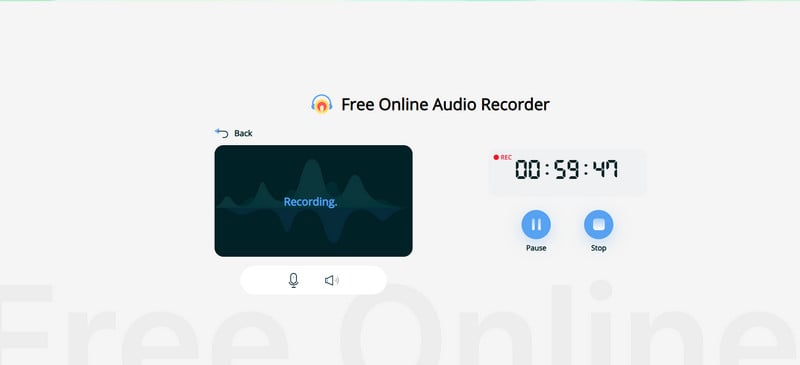
Apowersoft Online Audio Recorder is free to output MP3 format Apple Music by recording Apple Music playback from the computer system audio and microphone sound. It is not straightforward but can still be used as an alternative to an Apple Music downloader. Apowersoft works by recording Apple Music first and then converting records to MP3.
Key Features of Apowersoft Recording Apple Music :- Online Apple Music to MP3 conversion by recording.
- Intuitive page, simple operation
- Low recording efficiency, does not support multitasking, suitable for simple scenes.
- Manually add Apple Music metadata information.
- No support for batch Apple Music export.
-
Step 1Open Apowersoft Online Audio Recorder.Step 2Allow the web page to access your audio device (system audio).Step 3Play a song in Apple Music and click the "Start Recording" button on the web.Step 4After the recording is complete, click "Stop" to save the recording MP3 file to your local computer.
Apple Music to MP3 Desktop vs Online
Best for Desktop Apple Music Converter Online Apple Music Converter Recording Converters Sidify Apple Music Converter
iTunes MP3 Encoderapple-music-downloader.com
aaplmusicdownloader
APLMate
keepvid.chAudacity
Apowersoft Audio RecorderOutput Sound Quality Up to 320kbps (Sidify)
Up to 192kbps (Apple Encoder)Lossy output
128kbps – 320kbps256kbps equivalent or lower DRM Removal ✔ (Sidify)
❌ (Apple Encoder)✔ ✔ Output Format MP3, AAC, ALAC, AIFF, WAV, FLAC MP3, M4A MP3, WAV, OGG and others Batch Convert ✔ (full support) ❌ limited ❌ Download Speed 10X Fastest (Sidify)
Fast (Apple Encoder)Fast 1X Slow ID3 Tags ✔ Complete ✔ Partial ❌ Platform Support Windows / macOS All browsers Windows / macOS / Linux / Web Frequently Asked Questions
Can Apple Music be converted directly to MP3?
No. The music files provided by Apple Music are protected by DRM (Digital Rights Management) and users cannot directly export them to MP3. To achieve the conversion, you need to use a third-party tool such as Sidify Apple Music Converter.
Will converting Apple Music reduce the sound quality?
Yes, the sound quality may be reduced, but as long as the settings are correct (such as outputting FLAC/WAV or MP3 320kbps), the sound quality will hardly be significantly reduced, and ordinary users will hardly hear any difference.
Is it legal to use third-party Apple Music converters?
It depends on the purpose. Converting music to MP3 for personal offline listening is usually not illegal, but commercial use, re-distribution, or sale is not allowed. Be sure to comply with Apple's Terms of Service and local copyright laws.
Conclusion
This article introduces you how to convert Apple Music songs and playlists to MP3, including professional software, online tools, and recording software. In summary, if you want to convert Apple Music efficiently and steadily while retaining the original quality and ID3 tags of the music, it is recommended that you choose Sidify Apple Music to easily achieve free MP3 offline playback of Apple Music music forever.
What You Will Need
Sidify Apple Music Converter
Download iTunes M4P songs, albums, playlists, and audiobooks. Save Apple Music as MP3, FLAC, WAV or AAC with artwork kept.
They're Also Downloading You May Be Interested In
 Format SolutionsListen Anywhere