Audible audiobooks are a popular way to listen to books, and Bluetooth playback is a popular choice for many users. Whether it's a phone, tablet, computer, car stereo, or Bluetooth headset, they can easily connect for wireless listening. Below, we'll detail on how to play Audible Audiobooks through bluetooth for various devices and scenarios, along with practical tips to help you enjoy a seamless listening experience.
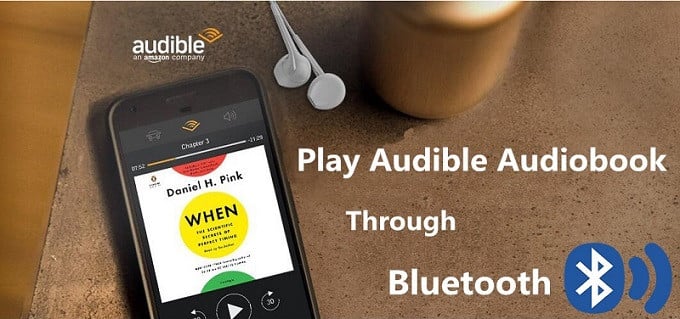
Generally speaking, if your phones, cars and laptops can work as a Bluetooth speaker, you can stream Audible audiobooks from your phone or tablet to other Bluetooth-enabled devices. Here we will show you how to play Audible audiobooks in your car by pairing your phone with your car stereo via Bluetooth.
Step 1The first step to start the Bluetooth pairing process on your car's stereo. Some vehicles have an easily accessible button that you can use to starting the pairing process. Others require you to navigate through the infotainment system. If you are unable to find the button, you may need to read through the owner's manual to find out how to pair a device using Bluetooth.
Step 2 Go to your phone's Settings and click on Bluetooth. Then make your phone 'discoverable' or 'visible'. Cars send across a code at times which you need to verify on the phone. Tap connect on the device and pairing should be successful.
Step 3 Open Audible app and choose any audiobook you want to listen. Now you can play an Audible audiobook in your car through the Bluetooth.
You can play Audible Audiobooks from your phone or tablet in your car via Bluetooth, but not all of your devices support playing Audible audiobooks normally. And because of Digital Right Management, you are not allowed to transfer Audible audiobooks to any device you want. But don't worry, the following tutorial is a brief guide to help you to convert Audible audiobooks to unprotected AAC or MP3 with a third-party Audible Audiobook Converter.
Sidify Apple Music Converter is a professional Audible Converter for you. With it, you can get rid of restriction from Audible and iTunes audiobooks legally by converting them to common audio like AAC or MP3 with high output quality. In this way, you can play converted Audible audiobooks on almost Bluetooth-enabled devices.
Alternative program: Any Audiobook Converter – convert AA/AAX audiobooks to M4A, M4B or MP3; 60X faster conversion speed; keep chapters and ID3 tags.
Sidify Apple Music Converter
 Work for Apple Music, iTunes M4P Music and Audiobooks.Convert Apple Music and iTunes M4P music to MP3, AAC, FLAC, WAV, AIFF or ALAC.Keep original audio quality and ID3 tags after conversion. 1-click to burn Apple Music to CD or upload Apple Music to Cloud. Highly compatible with the latest Mac/ Windows OS and iTunes.
 850,000+ Downloads
850,000+ Downloads
850,000+ Downloads
Step 1Choose Conversion Mode.
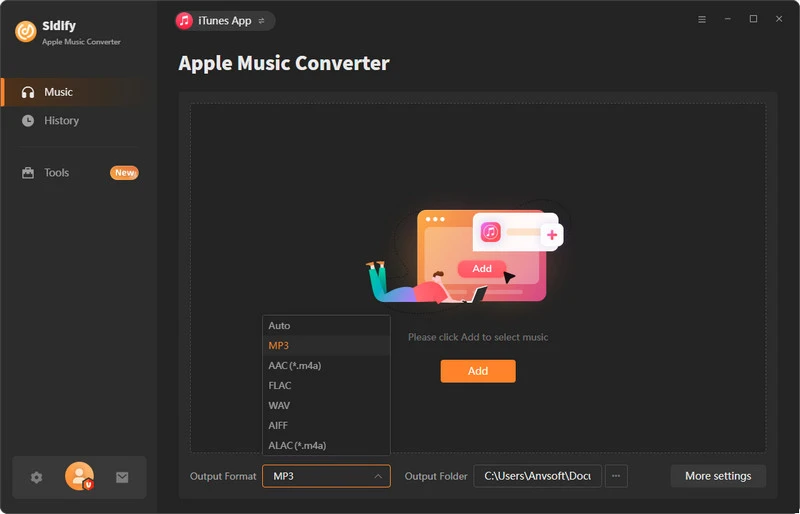
Launch Sidify Apple Music Converter, and you'll need to choose one conversion mode to start: Apple Music App or Apple Music Webplayer. (>> App Mode vs Webplayer Mode)
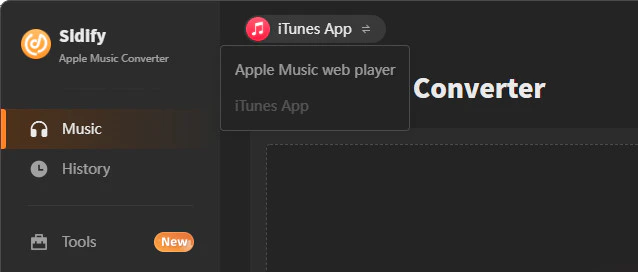
Select the Apple Music app mode to access the modern interface of Sidify:
Step 2 Add Audiobooks with Sidify Audiobook Converter
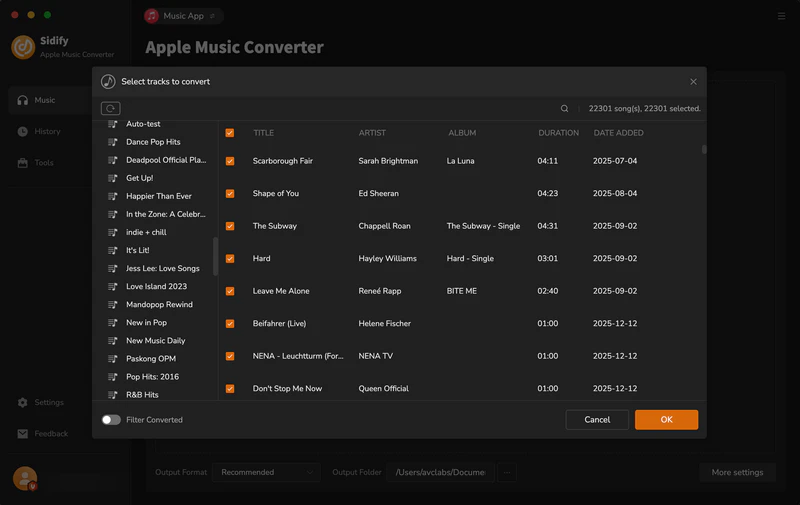
Drag and drop audiobook tracks you like from Apple Muisc to Sidify. Or you can click the "Add" button on the interface and copy & paste the URL of your Apple Muisc to the program. Then click the "OK" button to import them to Sidify.
Step 3 Customize Output Settings
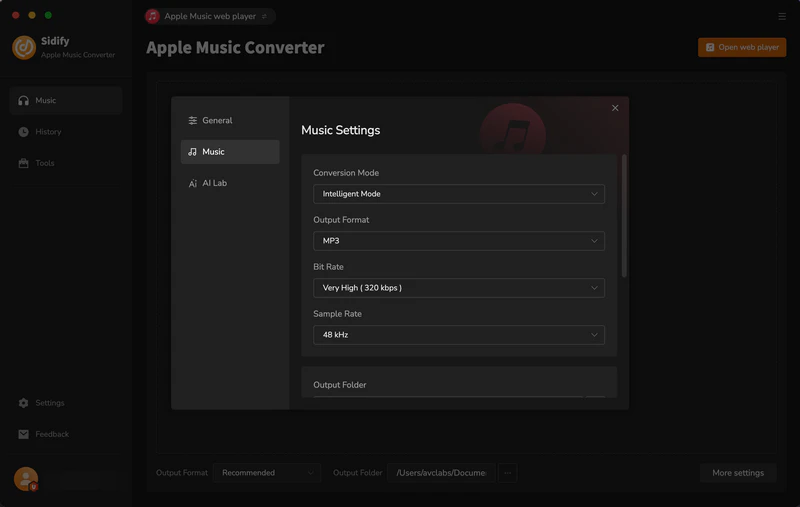
Directly click "Setting" button, a window would pop up. Here you can prefer to choose output format as MP3, adjust the output quality and set the output file name. Besides, the output path is also changeable if required; If not, the output audio tracks will be saved under the default folder.
Step 4 Start Converting Audiobooks to MP3 Format
Click “Convert” to start conversion and get a cup of coffee. After conversion is finished, you can click the "History" tab to find the converted audio files under specified folder.
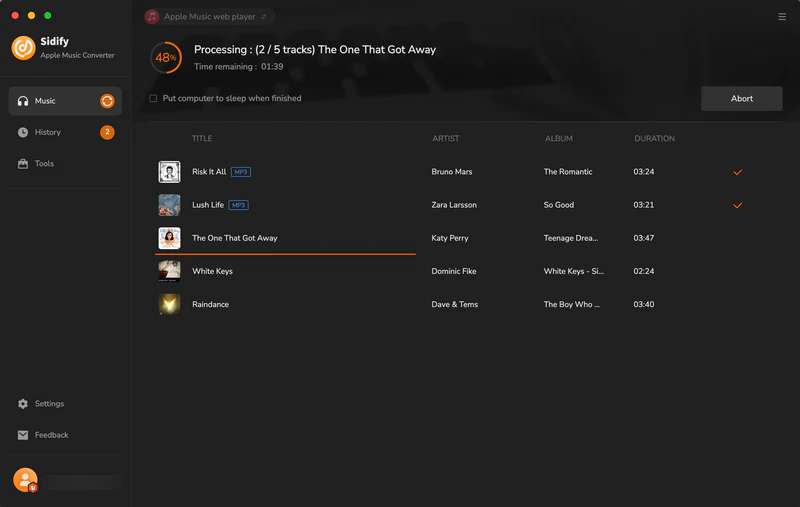
Note: The trial version of Sidify Apple Music converter has 1-minute conversion limit. If you want to unlock the time restriction, purchase the Sidify Pro now.
Playing Audible audiobooks via Bluetooth offers a variety of flexible ways to adapt to various devices and scenarios. Whether it's a phone, computer, or even an older speaker with a Bluetooth adapter, you can enjoy wireless listening. For users whose devices don't support the Audible app, using Sidify Audible Converter to convert to a universal audio format and then play via Bluetooth is the best option for high-quality offline listening.
What You Will Need
They're Also Downloading
You May Be Interested In
Hot Tutorials
Topics
Tips and Tricks
What We Guarantee

Money Back Guarantee
We offer money back guarantee on all products

Secure Shopping
Personal information protected by SSL Technology

100% Clean and Safe
100% clean programs - All softwares are virus & plugin free