Sony eReader is a popular e-reader that supports a variety of e-book formats, but its native support for audiobooks is limited. As Audible audiobooks become increasingly popular, many users want to listen to their purchased Audible audiobooks on Sony eReader. This article will detail how to add Audible audiobooks to Sony eReader, helping you enjoy the audiobook experience easily.
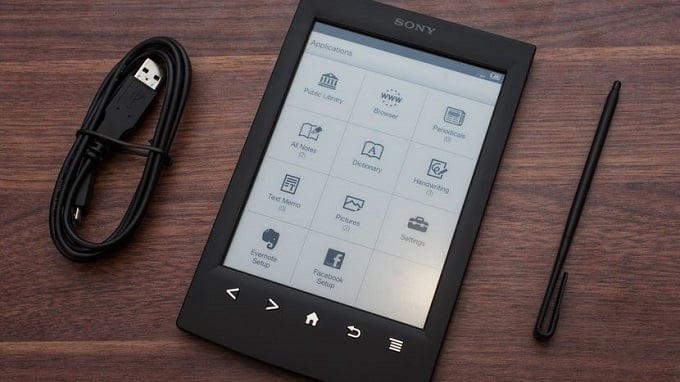
Although Sony eReader focuses on e-book reading, some models support audiobook playback. However, Audible audiobooks use AA or AAX formats with protection, which has limitations when played directly on Sony eReader. To play smoothly, users usually need to convert Audible audiobooks to supported formal audio formats first.
Sidify Apple Music Converter is an all-in-one Audible Audiobook Converter recommeded for you. It is not only can help remove protection from Audible AA or AAX audiobooks, but also can convert Audible audiobooks to Sony eReader supported audio format like MP3 or AAC.
Sidify Apple Music Converter
 Remove Protection from iTunes M4A, M4B/Audible AA, AAX audiobooks to AAC or MP3.Convert Apple Music/ iTunes M4P to MP3, M4A, FLAC or WAV.Convert the Apple Music songs losslessly at fast speed.Keep ID3 tags for better organize your music library. Perfectly compatible with macOS Tahoe 26 & Windows 11.
 850,000+ Downloads
850,000+ Downloads
850,000+ Downloads
To convert Audible audiobooks to your Sony eReader, you need to make sure that you are using the latest version of the Sidify Audible Audiobook Converter. If not, please download and install the program on your computer.
Step 1Install and launch Sidify
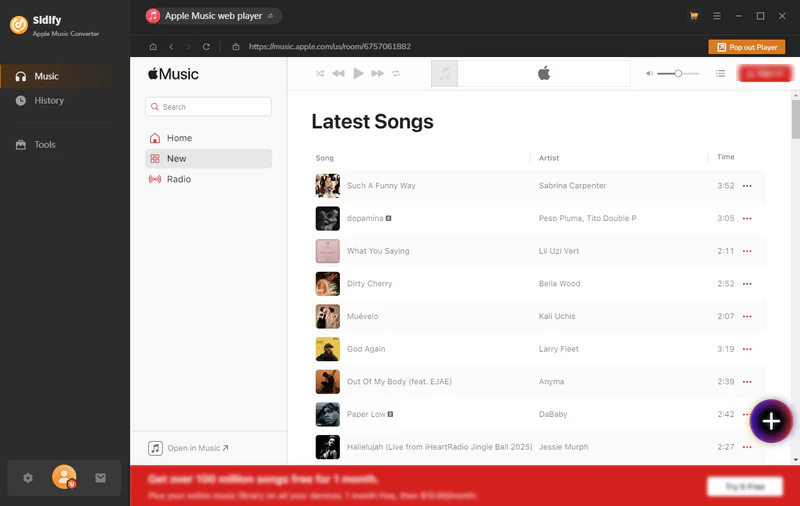
Launch Sidify Apple Music Converter, and you'll access the modern interface of Sidify:
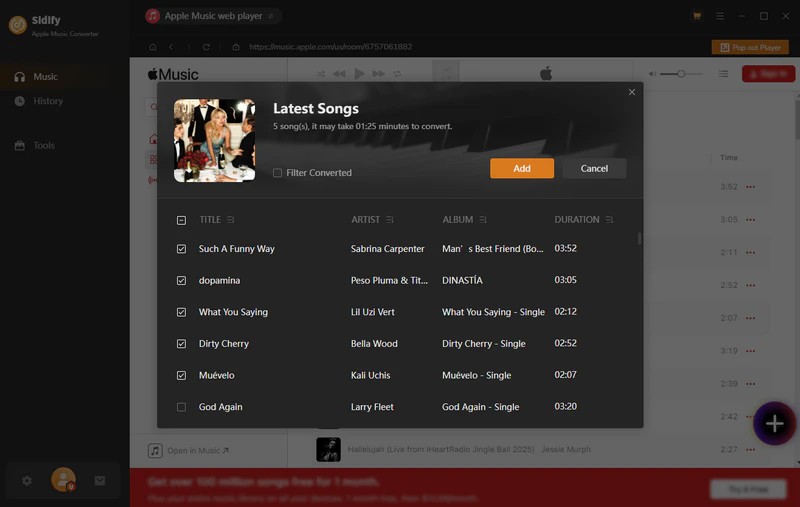
Step 2 Add Audiobooks with Sidify Audiobook Converter
Drag and drop audiobook tracks you like from Apple Muisc to Sidify. Or you can click the "Add" button on the interface and copy & paste the URL of your Apple Muisc to the program. Then click the "OK" button to import them to Sidify.
Step 3 Customize Output Settings
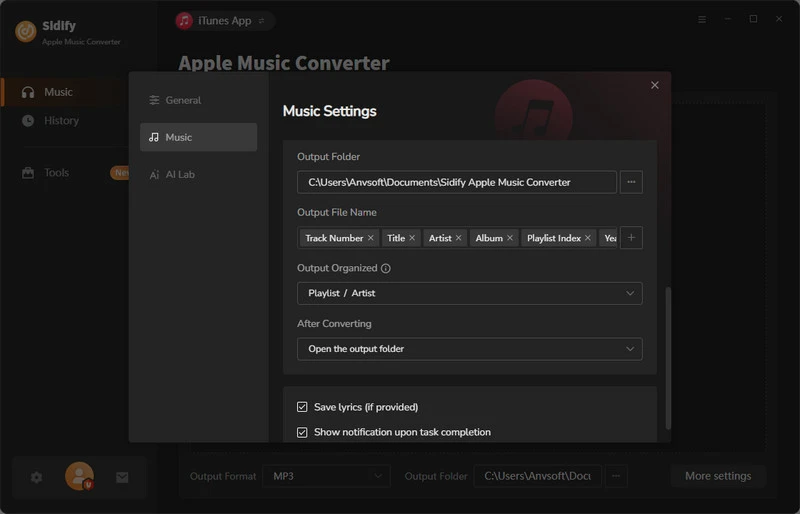
Directly click "Settings" button, a window would pop up. Here you can prefer to choose output format as MP3, adjust the output quality and set the output file name. Besides, the output path is also changeable if required; If not, the output audio tracks will be saved under the default folder.
Step 4 Start Converting Audiobooks to MP3 Format
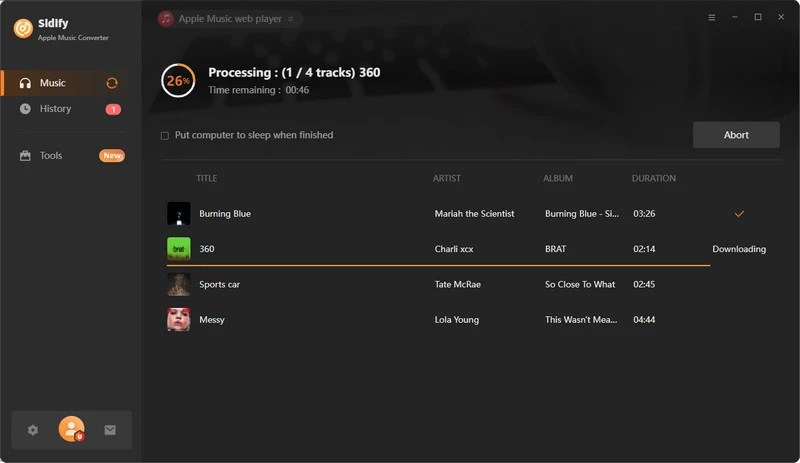
Click “Convert” to start conversion and get a cup of coffee. After conversion is finished, you can click the "History" tab to find the converted audio files under specified folder.
Step 5Add the converted Audible audiobooks to the Sony eReader
Connect your Reader to your PC, then drag and drop the converted Audible files from output folder to your eReader. Alternatively you can transfer the Audible audiobooks to a memory card, and insert it into the eReader.
Note: The Sidify Apple Music converter trial version is limited to convert the first minute of each track. To convert the full tracks, please purchase the full version.
Although Sony eReader does not directly support playing Audible audiobooks, with the method described in this article, you only need to convert the audiobook to a compatible format, and then you can easily import and play it on the device. As long as you master the correct steps, you can break the format restrictions, listen to your favorite Audible content on Sony eReader, and enjoy a more flexible reading and listening experience.
What You Will Need
They're Also Downloading

You May Be Interested In

Hot Tutorials
Topics
Tips and Tricks
What We Guarantee

Money Back Guarantee
We offer money back guarantee on all products

Secure Shopping
Personal information protected by SSL Technology

100% Clean and Safe
100% clean programs - All softwares are virus & plugin free